Audacity Project Recovery – Diagnostic
$10
Description
Have you ever tried opening an Audacity project only to be blocked by an error message? Don’t panic – your work isn’t necessarily lost! I help creators recover audio data from Audacity projects that have suddenly become corrupt, crashed, or stopped working.
How it works:
Step one is determining if your specific file’s structural integrity can be salvaged. Upon purchasing this $10 USD diagnostic service, you will receive a secure link to upload and send me your broken Audacity project files.
Soon after, I will get to work evaluating the file. If I determine the audio is recoverable, I will reach out with an invitation to purchase the final recovery service for an additional $15 USD, after which your restored project files will be delivered. If the project is unrecoverable, you pay nothing more.
Common error codes covered by this diagnostic:
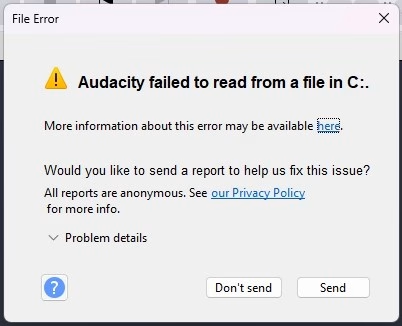
- “Audacity failed to read a file in C:” (or D:, E:, …)
- Error code 11
- Error code 13
- Error code 101
Real world example:
As a YouTube content creator, I once encountered this horrifying error when trying to open a project file that I had just finished recording. It was a video about VirtualBox, actually. At the time, I didn’t know as much about Audacity file recovery, and as a result, I had to re-record it. If I knew then what I know now, I could have saved myself a reshoot.
A note on confidentiality:
All files submitted for diagnostic and recovery services are treated with strict confidentiality. I will not distribute, share, or listen to your recordings beyond what is necessary to verify the integrity of the project. Upon successful delivery of your recovered files (or if the project is deemed unrecoverable), all data will be securely wiped from my local storage within 7 days.
Only logged in customers who have purchased this product may leave a review.
Reviews
There are no reviews yet.