When I first got around to using my copy of Windows Vista regularly, I quickly became annoyed of one particular feature – User Account Control (UAC).
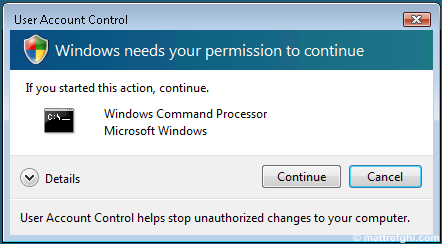
At first, I saw it as an acceptable comprimise for the sake of security… but after a while, it became clear that most the apps I use actually need Administrative access. I found myself forgetting to launch the shortcuts with Administrative privileges, and then I’d have to close the application, and launch it properly by right-clicking and saying “Run as administrator”.
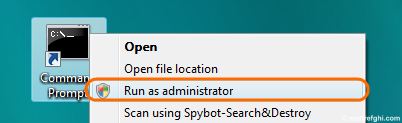
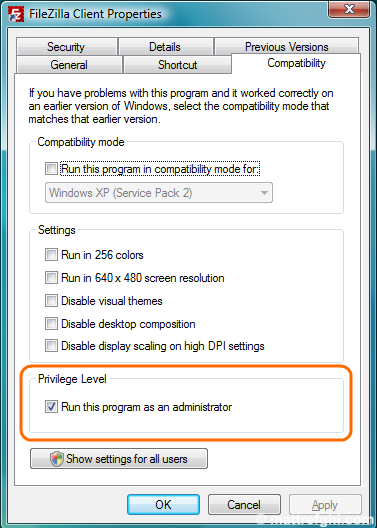
I put up with it until, one day, I was checking out the Properties of a shortcut… when I discovered a checkbox I’d never noticed before. Eventually, I grew so frustrated that I turned the feature off, just to avoid the hassle. For a long time, I went without it – and then we got new machines at work, and we were told to install Vista Business on all of them. Since it was a work machine, I decided to leave UAC enabled, for security’s sake. It wasn’t always pleasant; however, at least I knew my machine was more secure – and so the cost of having to right-click, and select “Run as administrator” was acceptable given that it was within the context of work.
This checkbox, when enabled, made it so the UAC prompt appeared automatically after launching a shortcut, rather than me having to right-click it, and select “Run as administrator”. This feature alone made me realize that UAC isn’t so bad. The real cost of using UAC was having to right-click the shortcut and select “Run as administrator” (for me, anyway).
I could hardly believe that I had missed this feature – but when I asked fellow developer friends of mine, I realized some of them missed the feature as well. This got me wondering… maybe there are others that still don’t know this?
1 thought on “Why Vista’s User Account Control Feature Isn’t So Bad”